Control what the AI does
Who can do what
- User: can connect AI apps: connects their own AI apps. By default every internal user can; switch Who can connect off in the settings to allow only the users you add to this group.
- Administrator: settings, tools, all connections and the activity of everyone.
Whatever the group, the AI only ever sees and changes what the signed-in user is allowed to in Odoo.
Settings
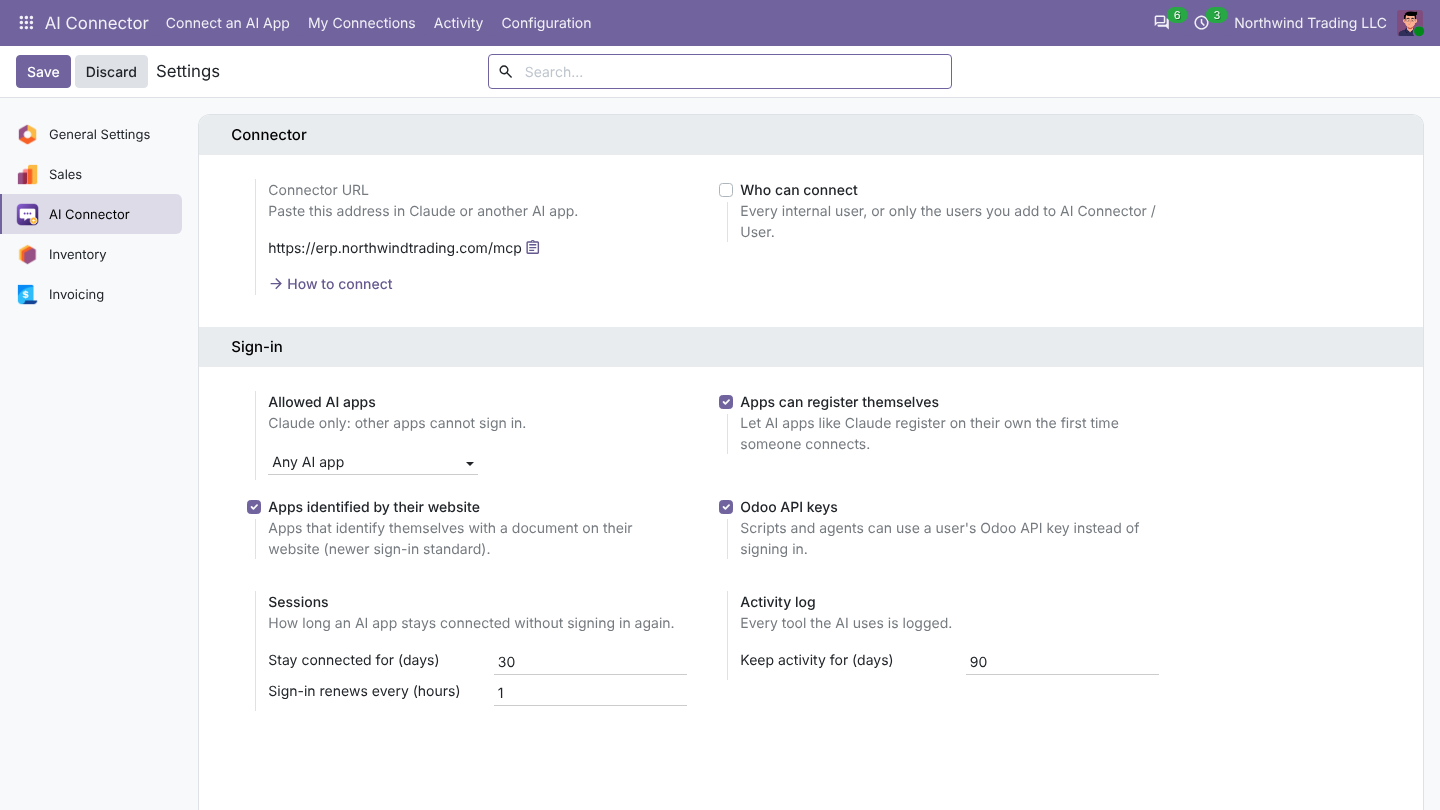
AI Connector > Configuration > Settings:
- Connector URL: the address to paste in AI apps.
- Who can connect: every internal user, or only members of the user group.
- Allowed AI apps: any AI app, or Claude only. Options to let apps register themselves, apps identified by their website, and Odoo API keys for scripts.
- Sessions: how long an AI app stays connected without signing in again.
- Activity log: how many days to keep it.
Tools
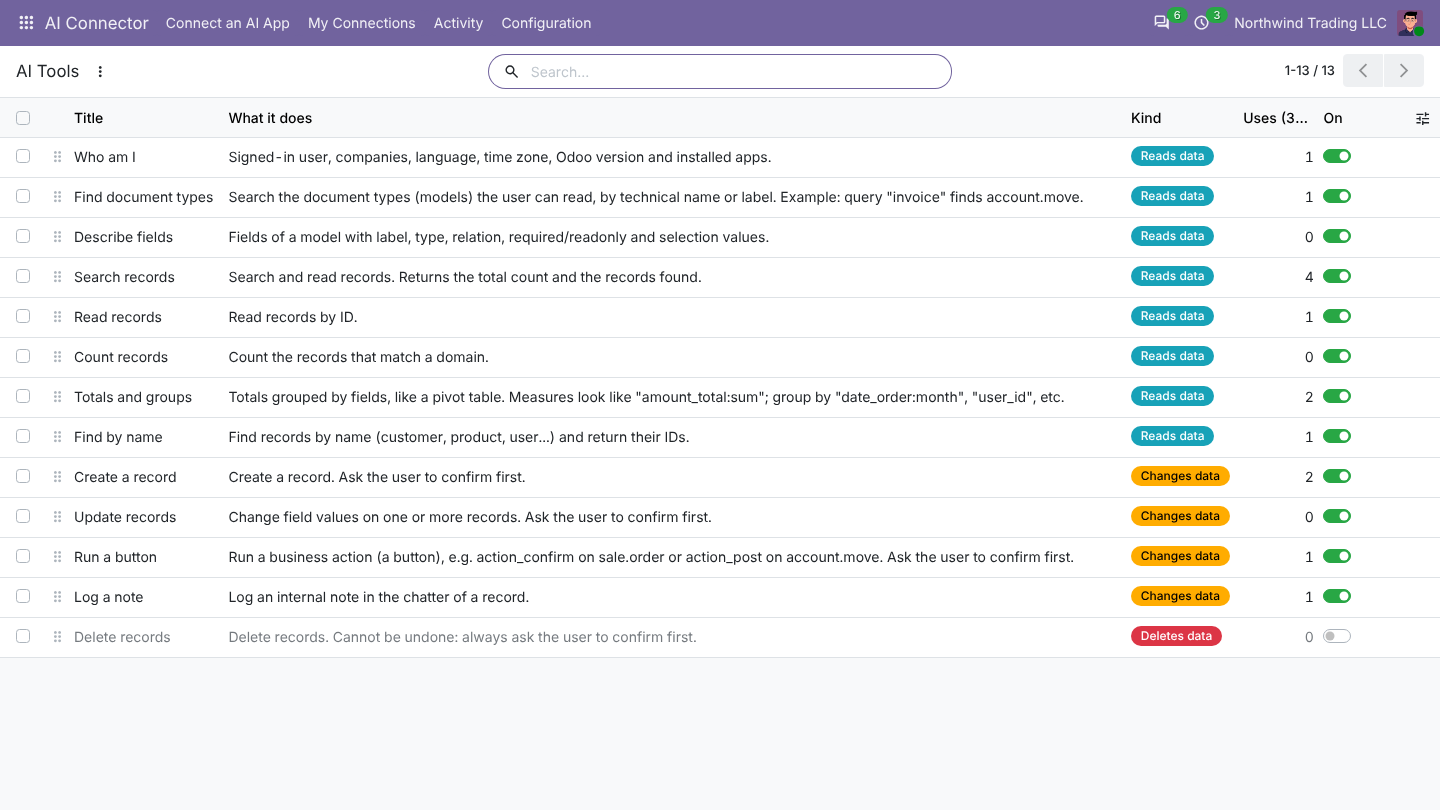
AI Connector > Configuration > AI Tools lists what the AI can do (search, read, count, totals and groups, create, update, run a button, log a note, delete...), each with an on/off switch. Switch off what you don't want any AI to do.
Activity
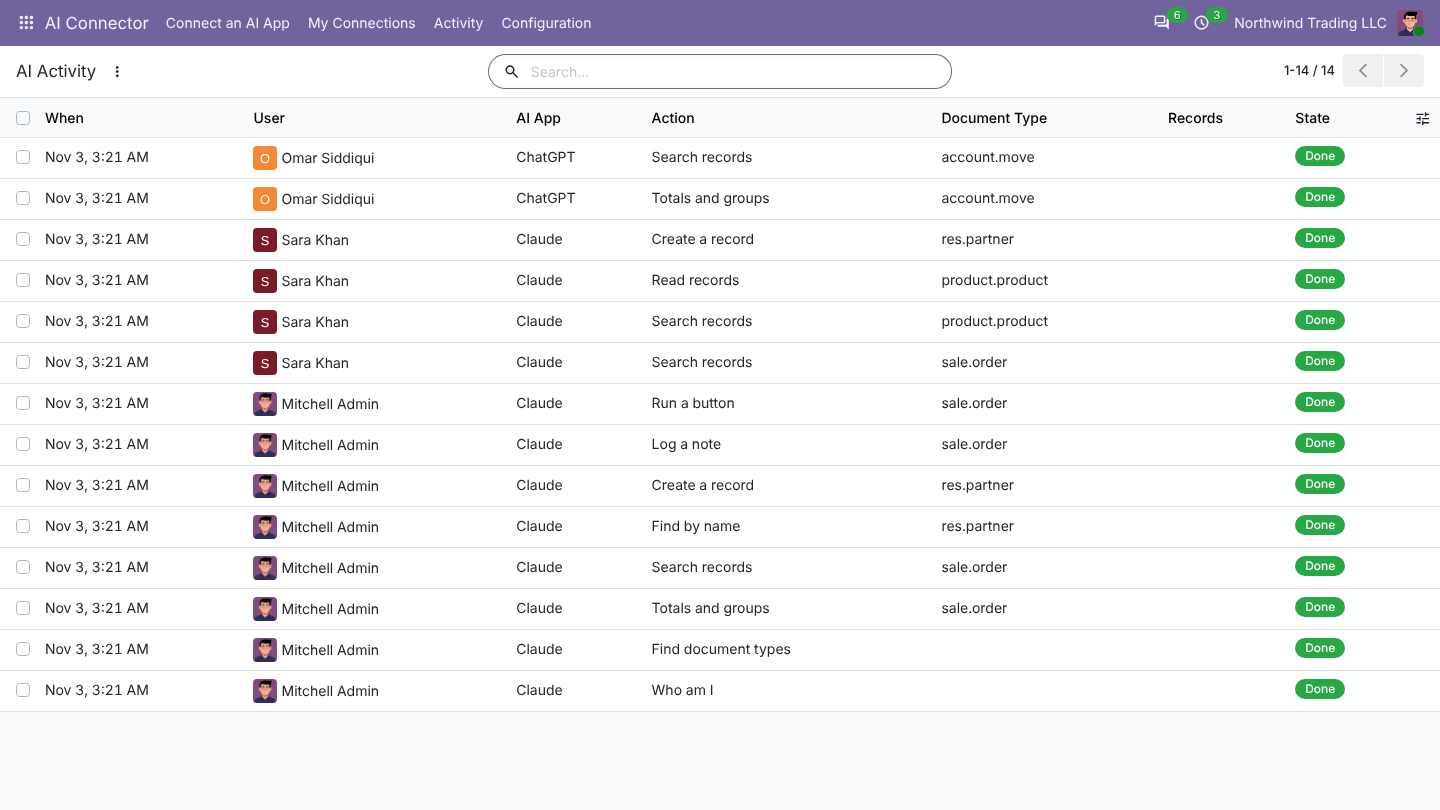
AI Connector > Activity logs every tool the AI used: user, AI app, tool, document and result.
Administrators can see and disconnect every connection under Configuration > Connections.
Was this page helpful?