Pro features
Access Manager Pro ($299, one-time) installs on top of the free app and adds tabs to every profile. Your profiles stay. Get it on the Apps Store.
Document Types
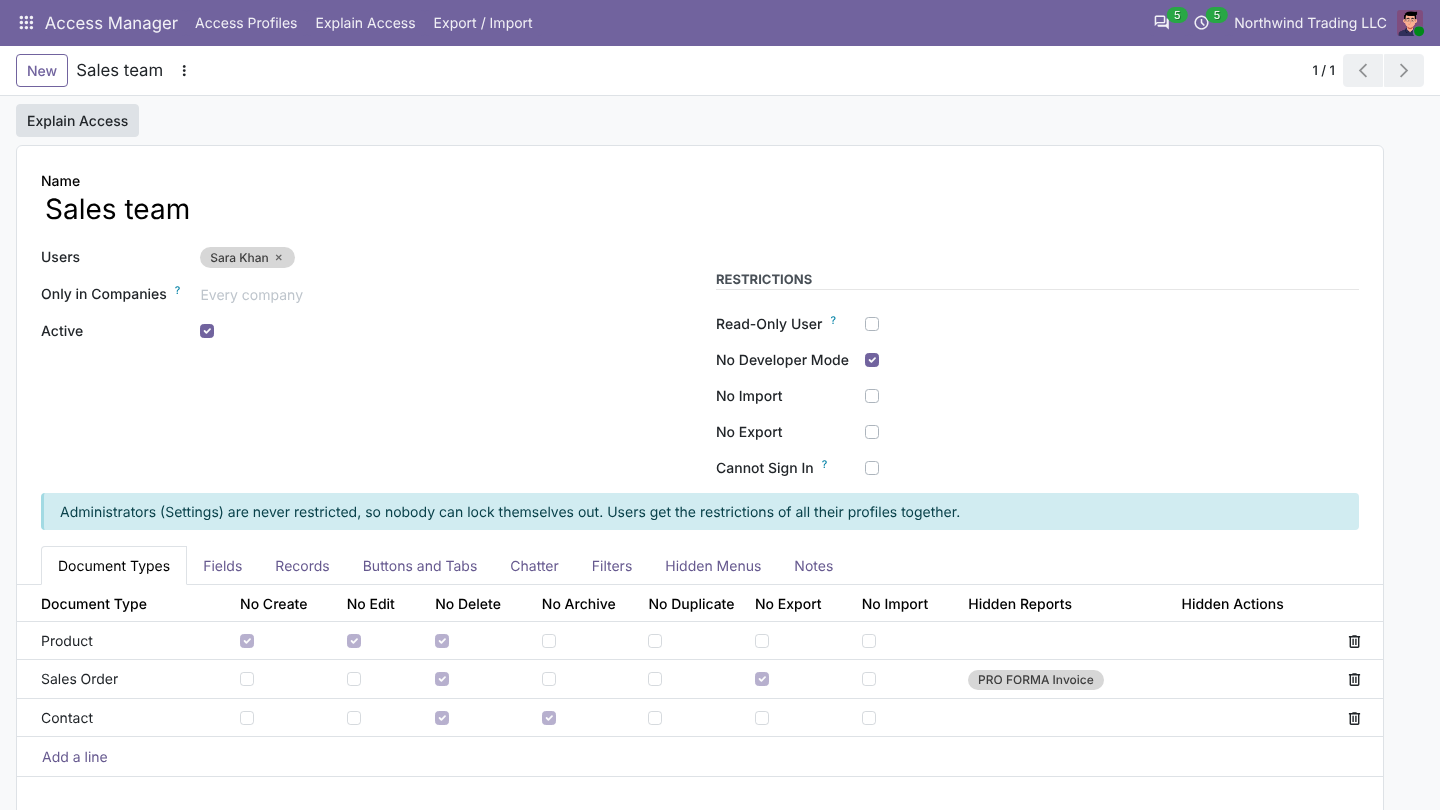
Per document type: no create, edit, delete, archive, duplicate, import or export, and hide reports and actions from the Print and Action menus. Buttons disappear and the server refuses, for any app including your own.
Fields
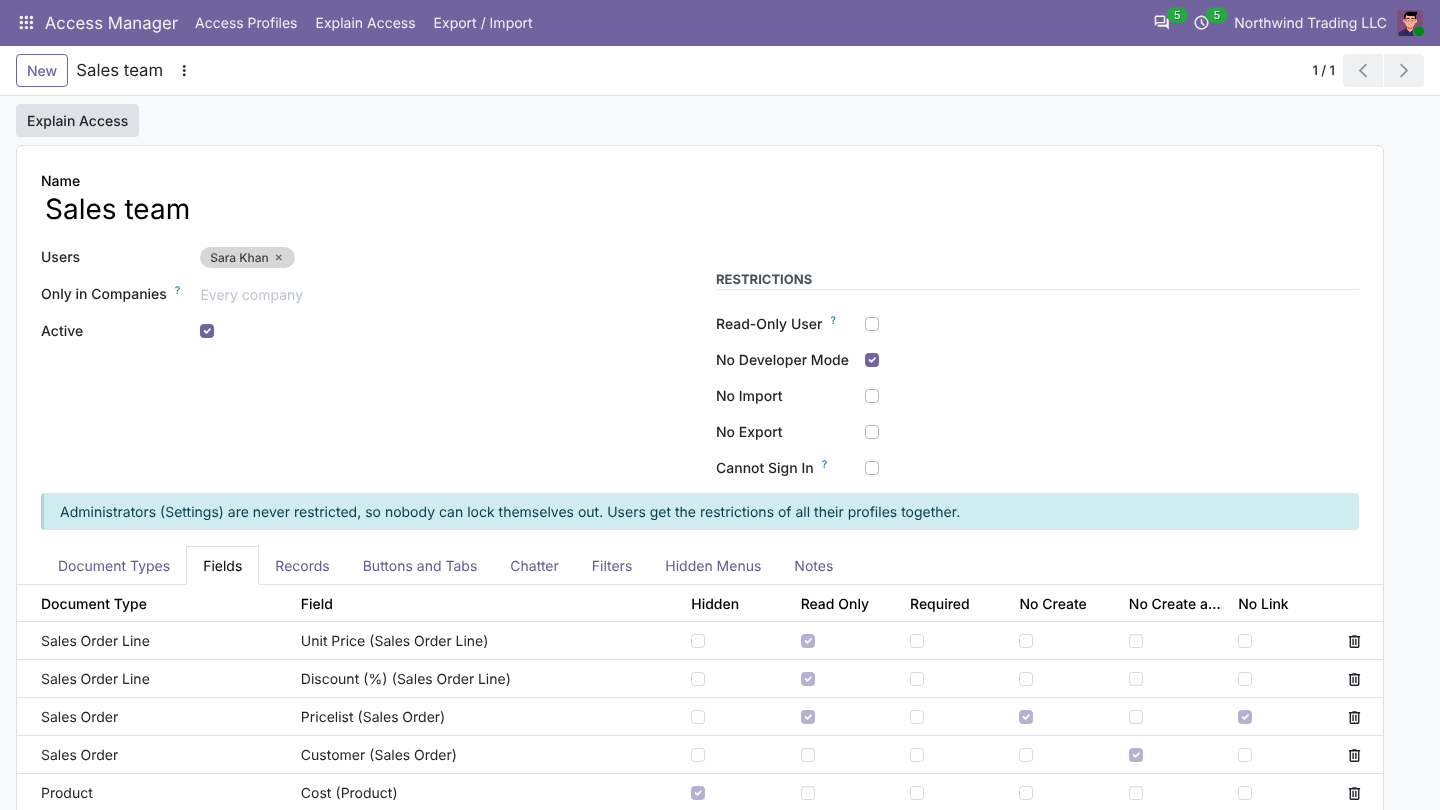
Make a field hidden, read-only or required, or stop users from creating or opening linked records from a dropdown (no create, no link). Works in order lines too. Read-only fields are refused by the server; hidden fields also leave filters, group by and export.
Records
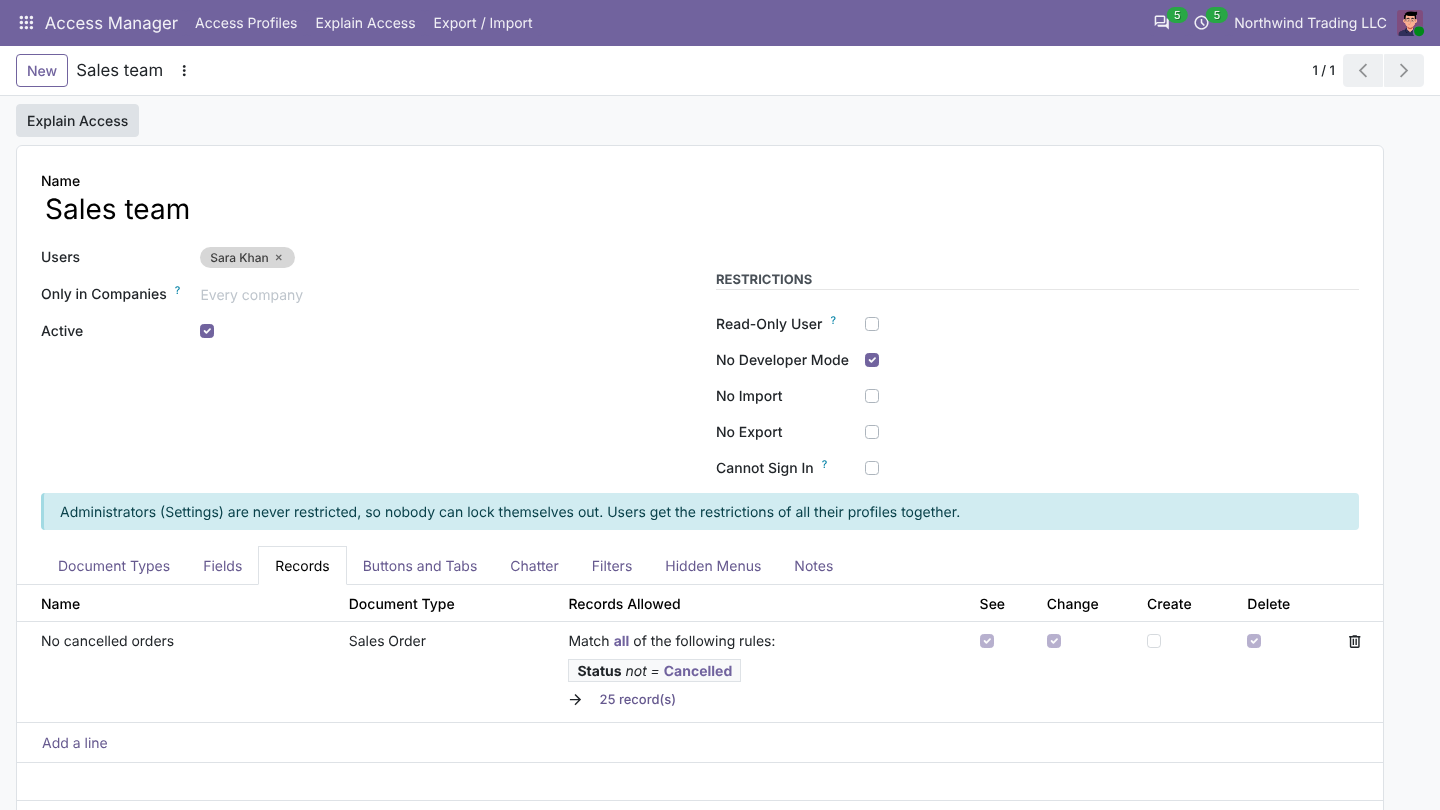
Limit records by condition, for example only their own customers or no cancelled orders, with Odoo's usual filter editor. Choose separately whether the condition limits seeing, changing, creating or deleting. Rules become real Odoo record rules for the profile's users, so they apply everywhere: lists, reports and the API.
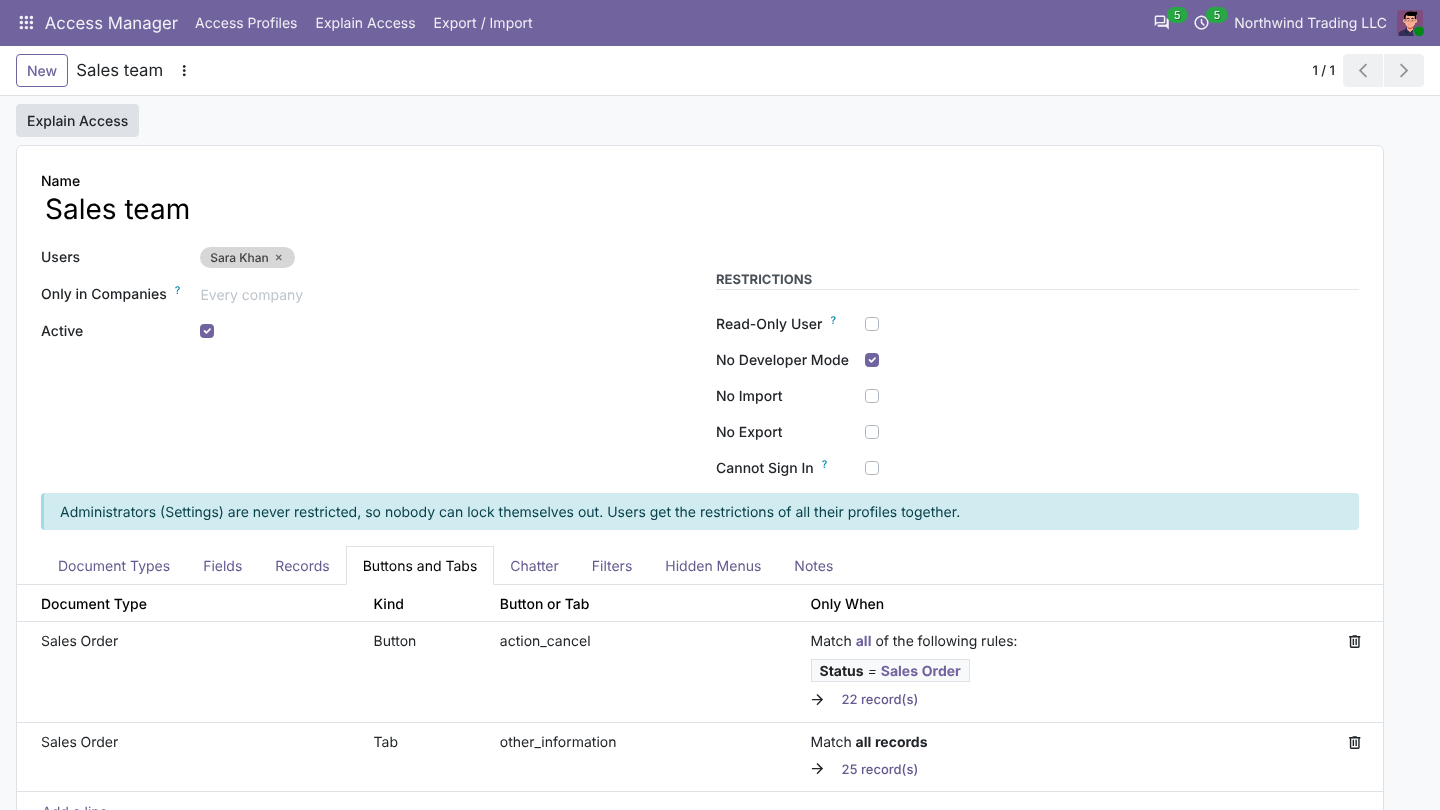
Buttons and Tabs
Hide a button (such as Cancel), a tab (such as Other Info) or a smart button, always or only when a condition on the document is true, by technical name or label.
Chatter and Filters
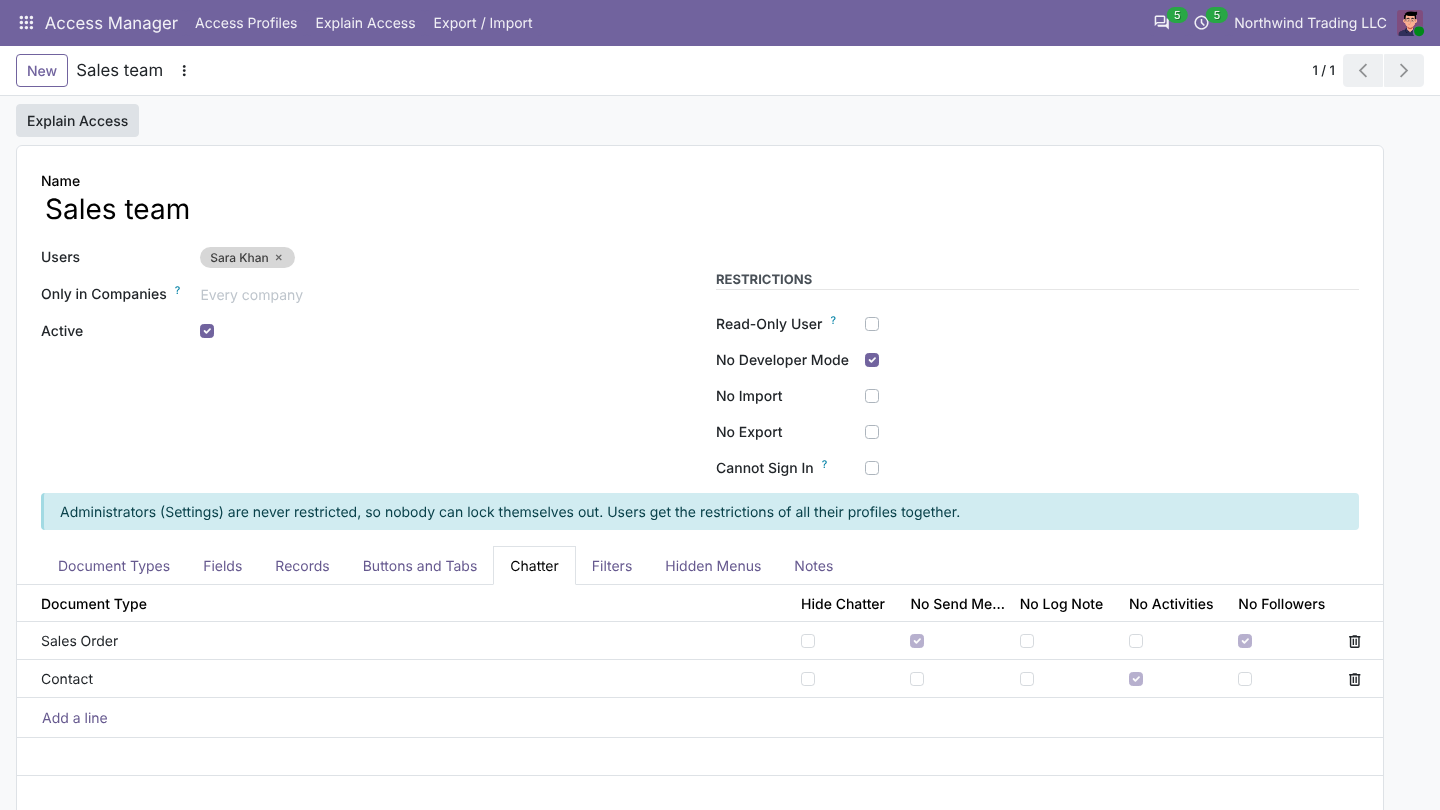
Per document type or for all documents: hide the whole chatter, or only Send message, Log note, Activities or Followers. Messages, notes and activities are refused by the server too. On the Filters tab, hide filters and group-bys, or take a field out of search altogether.
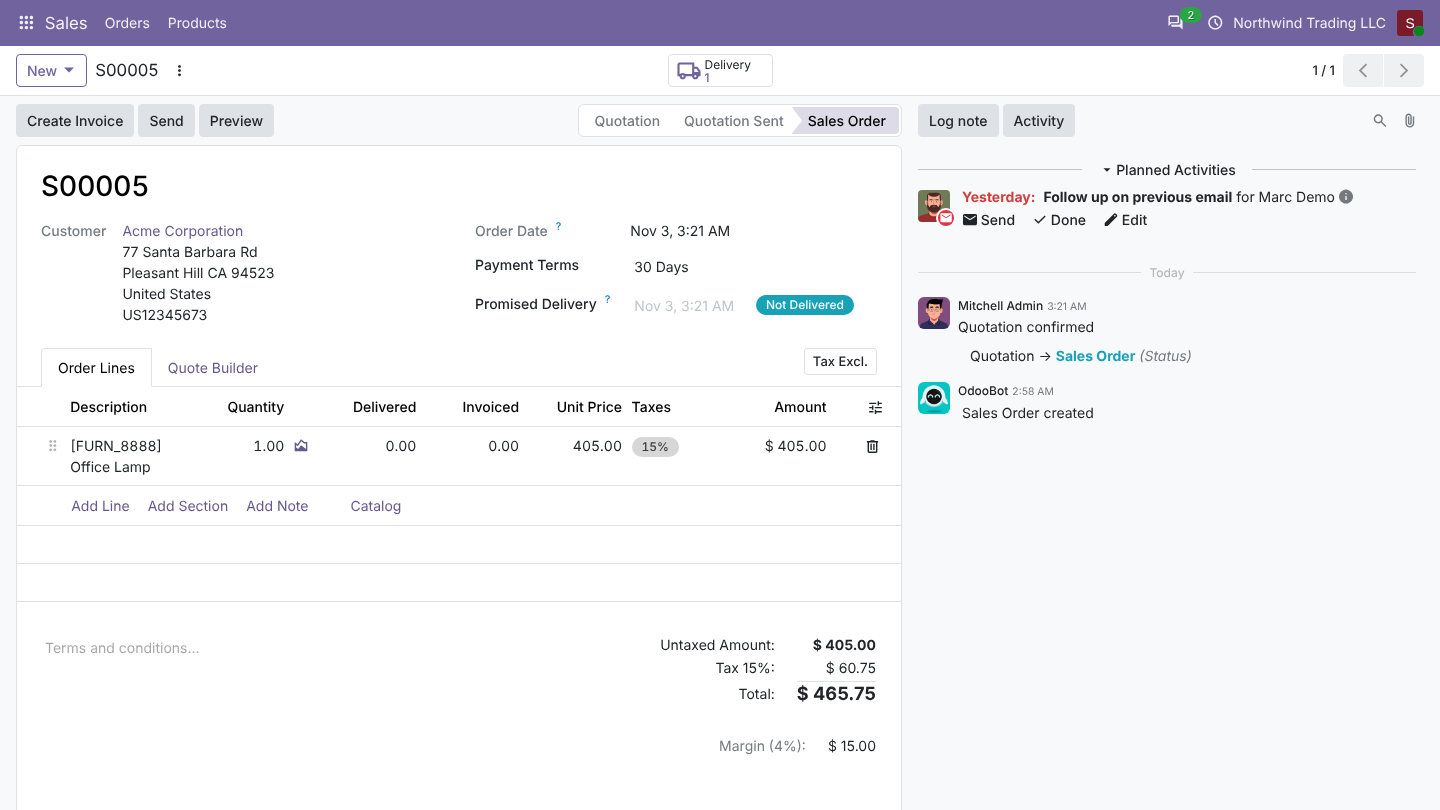
The result for a restricted sales rep: prices locked, no Cancel button, no Other Info tab, no Send message.
Explain Access
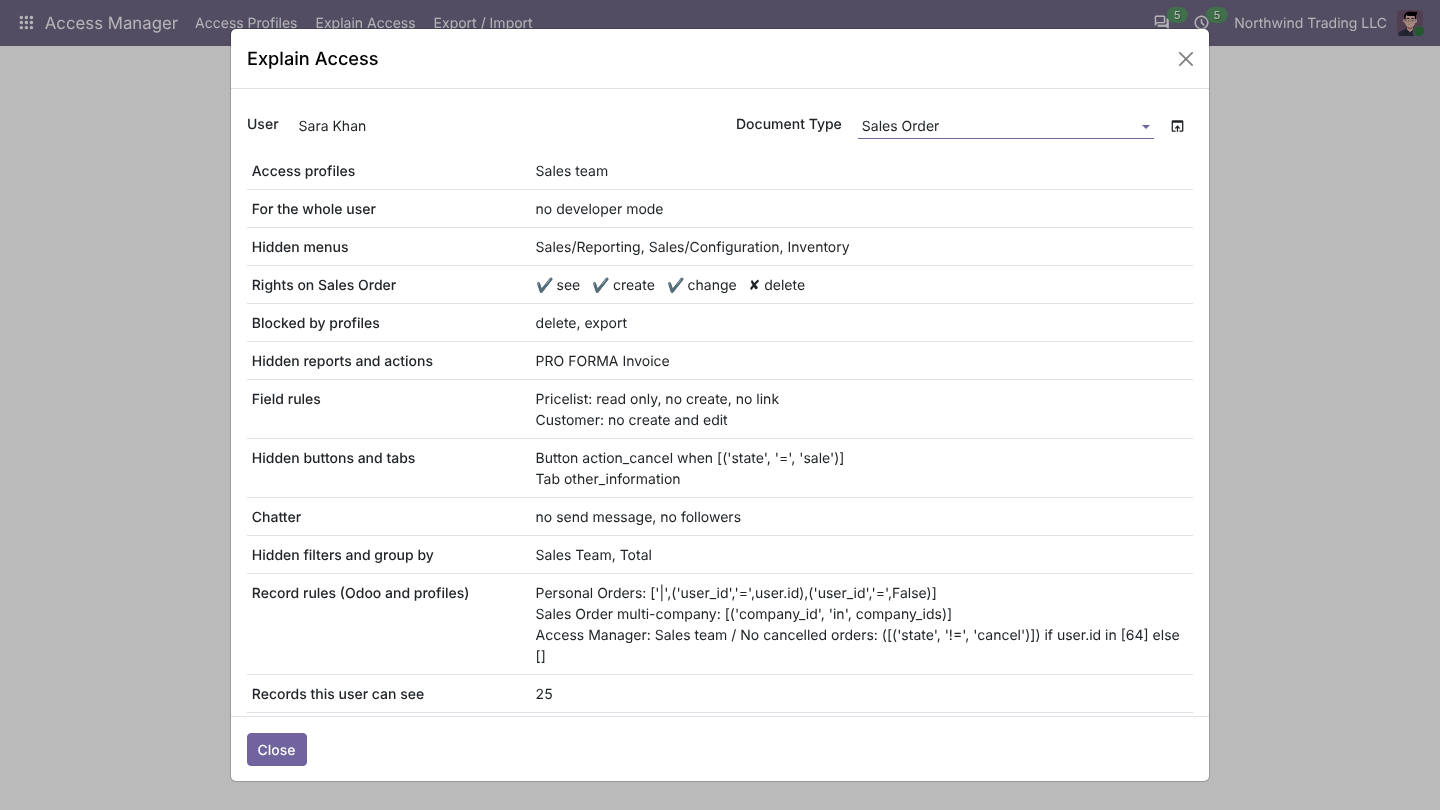
Access Manager > Explain Access: pick a user and a document type to see their profiles, blocked actions, field rules, record rules (from Odoo and from profiles) and how many records they can see. It answers "why can't she see it?" without signing in as the user.
Export and import
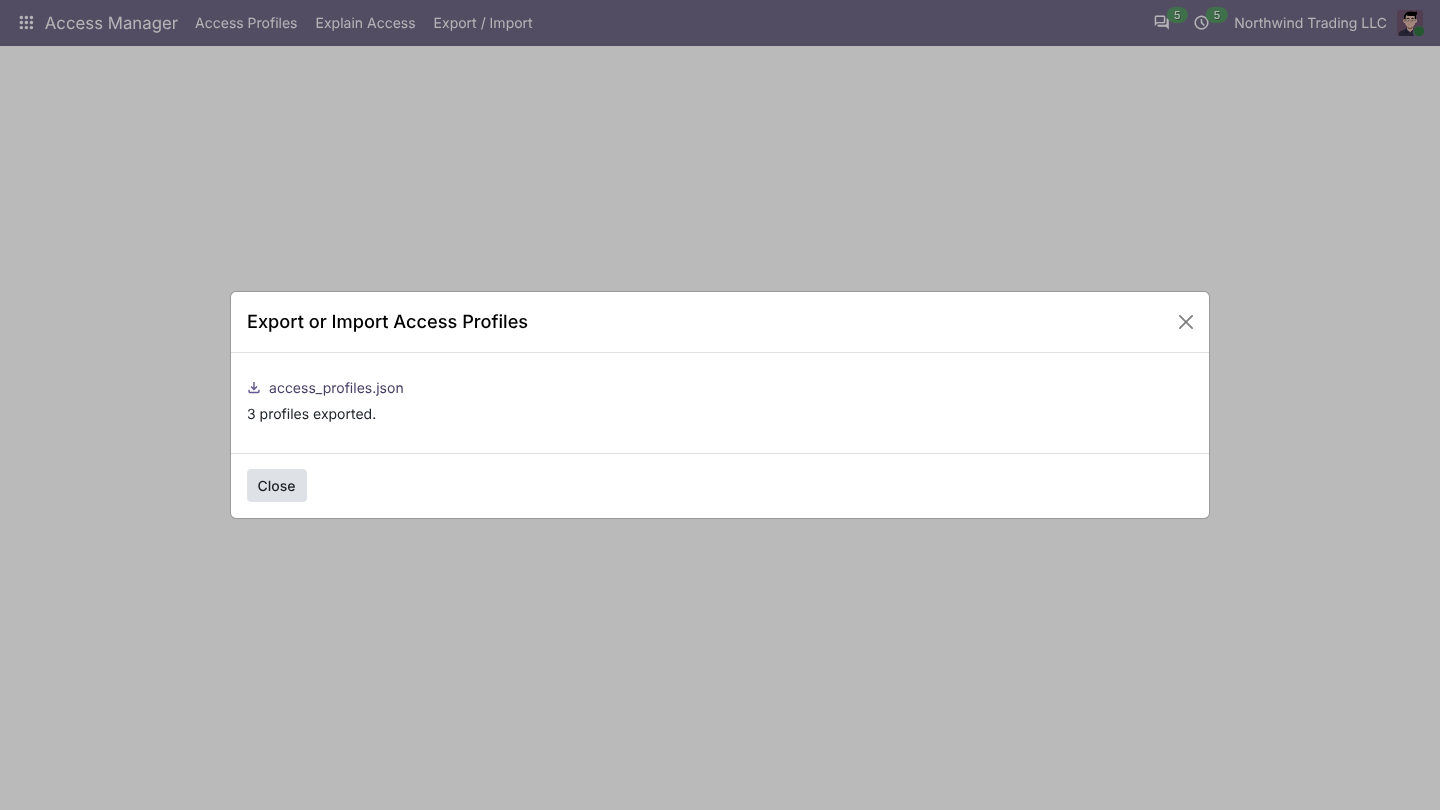
Access Manager > Export / Import saves profiles to a file and imports them in another database or after an Odoo upgrade. Users, menus, fields and reports are matched by technical name; anything missing is listed.