Connect the print agent
The Novator Print Agent runs on a Windows or Linux computer in your network, lists its printers in Odoo and prints the jobs. It only makes outgoing HTTPS requests to your Odoo, like a browser: no open ports, no firewall changes, no cloud service in between.
Who can do what
User prints to the printers of their company. Manager sets up agents, printers, workstations, rules and automatic printing.
Connect it (a few minutes)
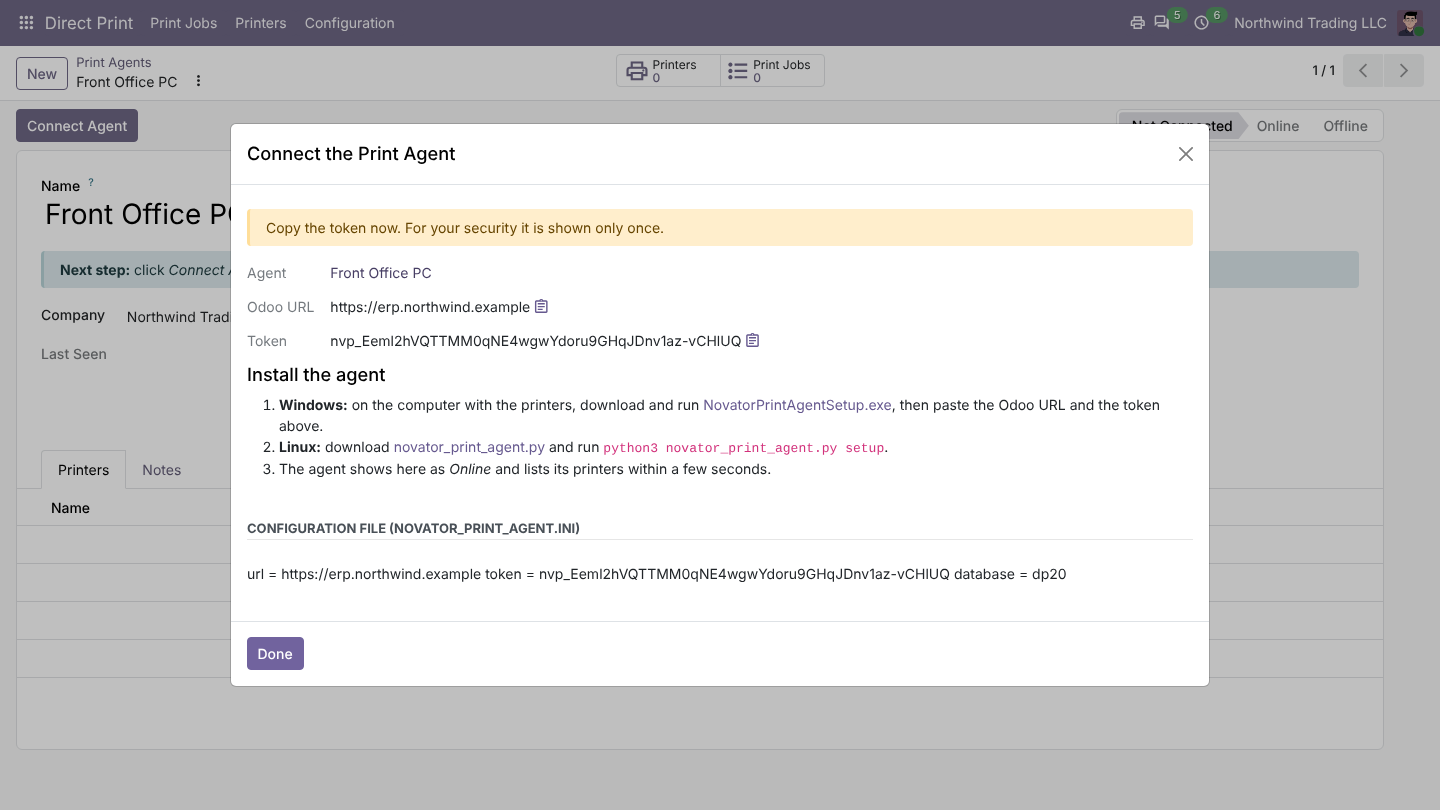
- In Odoo, go to Direct Print > Configuration > Print Agents, click New, then Connect Agent.
- Copy the Odoo URL and the token shown in the window. The download links for the agent are in the same window.
- On the computer with the printers, run the Novator Print Agent installer (Windows 10/11) or the agent script (Linux, Python 3 with CUPS), and paste the URL and token.
- The agent's printers appear in Odoo by themselves.
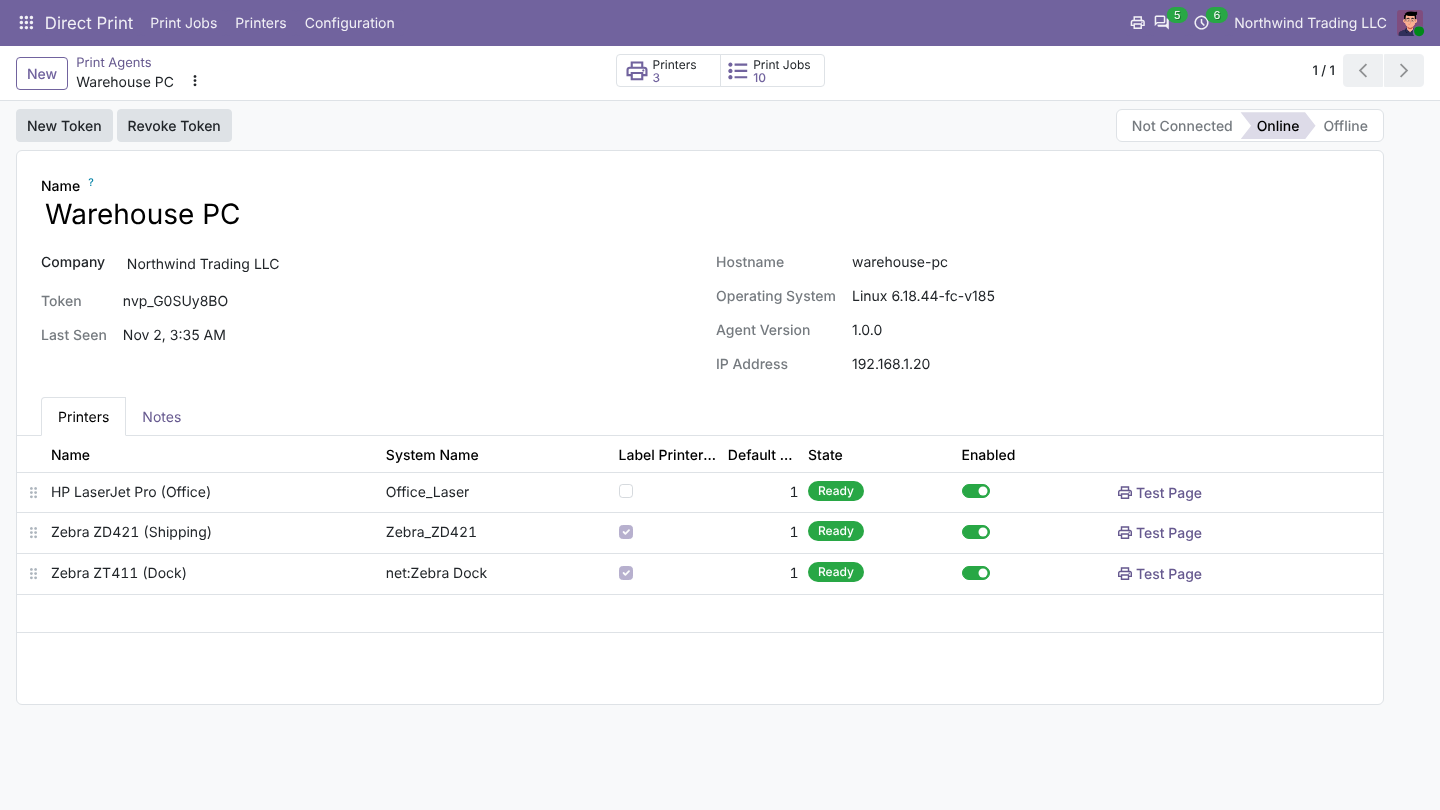
Each printer has a Test Page button. The agent reconnects by itself after a restart. Agents and printers belong to a company.
Pick your printer
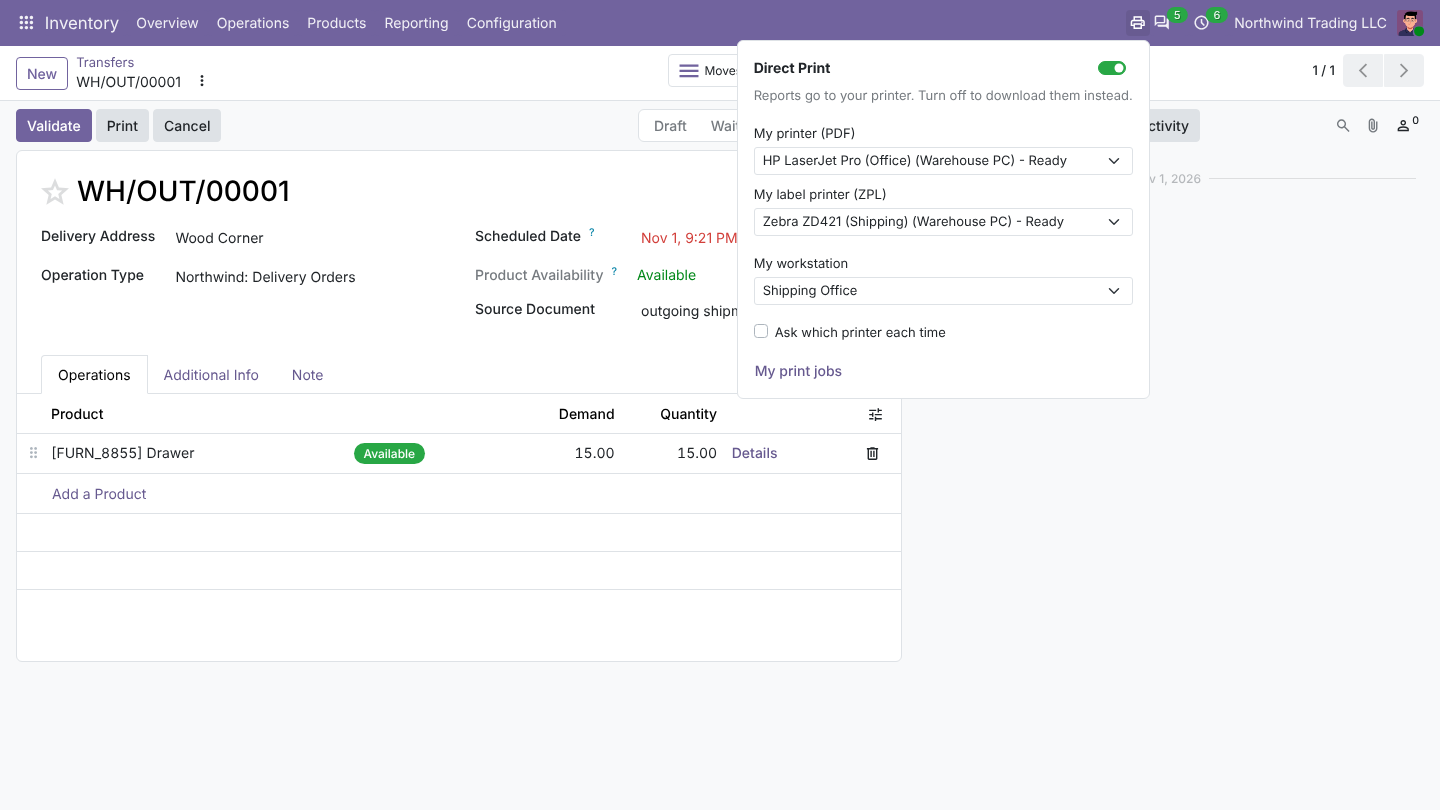
The printer icon in the top bar shows the printers your company connected. Pick one for documents and one for labels, with their live status (Ready, Agent offline, Not found). Switch Direct Print off there to download PDFs again.
Was this page helpful?